Smart OCR vs Generic OCR: Benchmark on Mexican Legal Documents
How well does an OCR read Mexican legal documents? It depends enormously on which OCR you use.
We ran a test with 196 real legal documents: articles of incorporation, powers of attorney, public deeds, and commercial contracts. We compared a generic cloud API OCR against a fine-tuned OCR model (trained specifically on Mexican legal documents).
The problem with generic OCR
Mexican legal documents have characteristics that make them particularly challenging for standard OCR.
Notarial typography varies between notary offices: some use classic serif fonts, others use compressed fonts to save space. Stamps and signatures overlap the text, creating visual noise. Capital and ownership tables have non-standardized formats. And some documents are copies of copies, with progressive quality degradation.
A generic OCR — trained on English documents, standardized forms, and clean text — simply isn't prepared for this.
The results
We processed all 196 documents with both systems and measured extraction coverage: what percentage of relevant fields (company name, capital, shareholders, powers, corporate purpose) were correctly extracted.
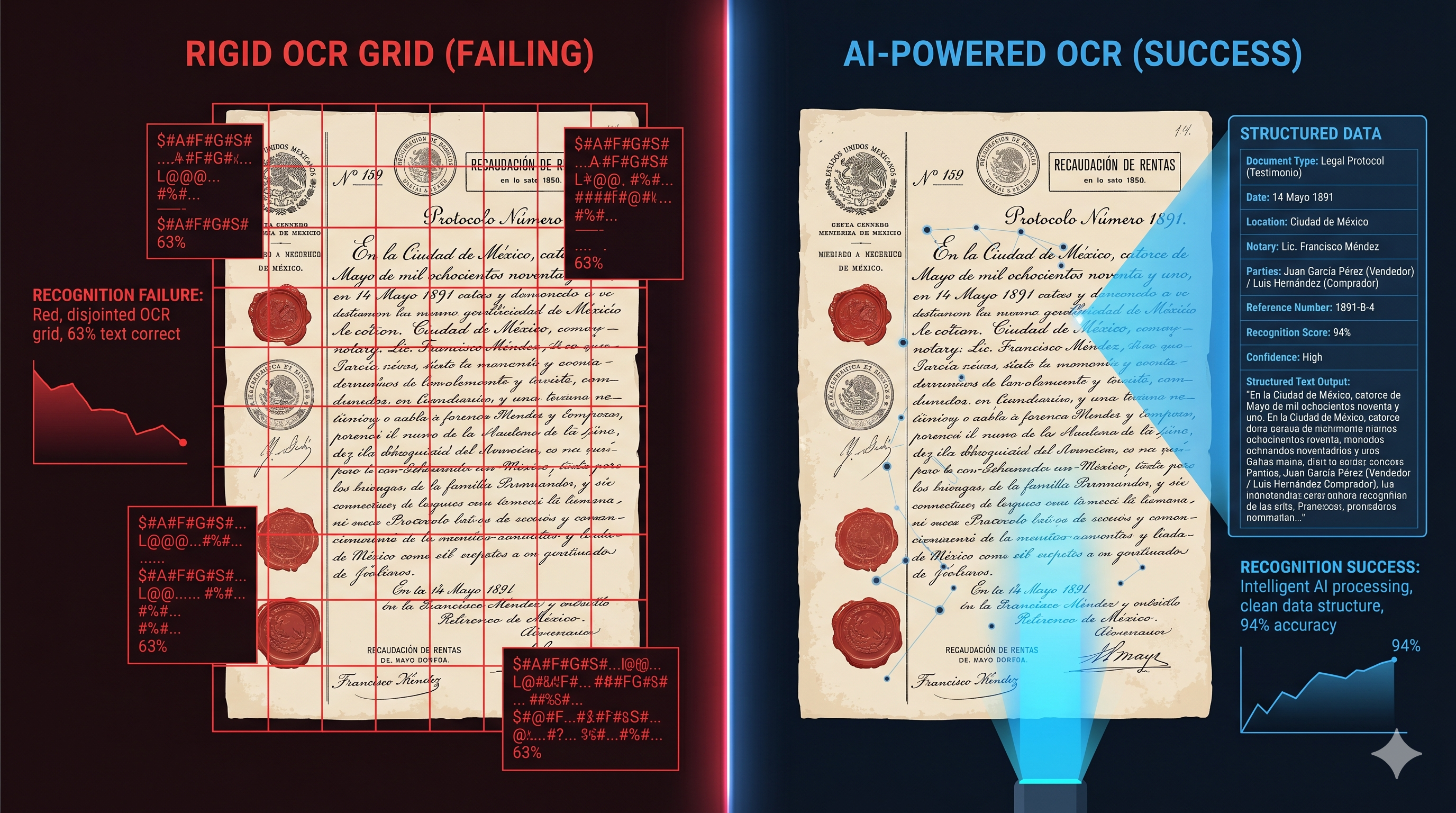
Generic OCR (cloud API): 63% coverage. Out of every 10 fields, 4 came out wrong or weren't extracted.
Fine-tuned OCR (local model): 94% coverage. Out of every 10 fields, fewer than 1 failed.
The difference isn't marginal. It's the difference between a system that requires manual review of everything and one where you only review exceptions.
Why fine-tuning works
The fine-tuned OCR was trained on a corpus of real Mexican legal documents. It learned to recognize notarial typography, to ignore overlapping stamps and signatures, to interpret capital tables in different formats, and to handle the quality degradation of certified copies.
It's not magic — it's training with the right data. The same principle by which a lawyer with 10 years of experience reads articles of incorporation faster than an intern.
Cost implications
Beyond accuracy, there's a cost implication that few companies consider. An OCR with 63% coverage requires a human to review and correct the remaining 37%. That correction cost, multiplied by hundreds or thousands of documents, frequently exceeds the cost of automatic processing.
This benchmark was conducted with Fullkro by Leeuwwolk. Methodology and data available at theprivatestack.com.